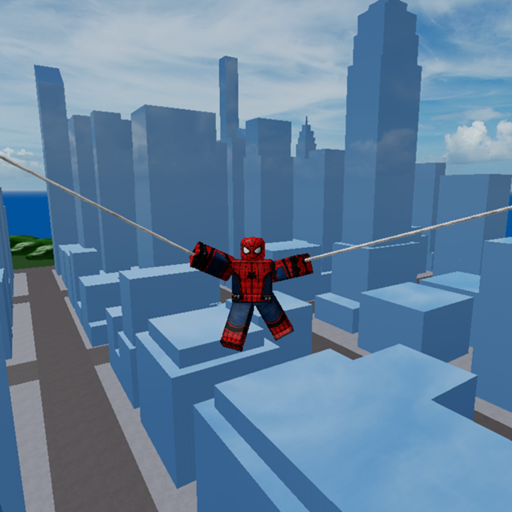
Marvel and DC Super Heroes Controls Cheatsheet
A short reminder card for mid-session brain fog on busy Roblox servers.
This cheatsheet compresses the Controls Guide for Marvel and DC Super Heroes into a glanceable checklist. Use it while playing the free online sandbox by hhjhhjhh10 (place 6132958612, up to 60 players, released 2020-12-25). When something here conflicts with your current in-game prompt, trust the live client and then send us a mental note to update after you confirm on Changelog.
Movement card
- Move: WASD / left stick
- Jump: Space / controller face button
- Camera: mouse / right stick
- Pause and breathe if a 60-player stack melts your FPS—lower graphics, reposition to a colder map zone (Map Exploration)
Flight card
- Eligible characters only
- Input: slow double jump
- Failure mode: mashing
- Drill: 10 clean takeoffs before contested dives
- Deep dive: How to Fly and Aerial Mobility
Combat card
- Look at your target before you attack
- Choose fight size on purpose
- Pre-plan disengage
- Ignore intimidation from KillEffect_01 cosmetics
- Longer advice: Combat Tips and PvP Combat
Character select card
- Shortlist three names max
- Use Character Picker if stuck
- Fantasy first, complexity second
- Pass skins are optional (Game Passes)
“Do not” card
- Do not paste random codes hoping for binds (Codes — none reliably verified active)
- Do not download executors for a Cmds menu overlay (Scripts)
- Do not swap characters every single death
- Do not learn flight inside the loudest brawl
Device quick fixes
PC: reduce mouse accel surprises; stabilize FPS.
Mobile: enlarge jump; practice flight in cold zones.
Controller: check dead zones; avoid accidental camera flicks mid-climb.
Two-minute reset routine
- Leave hot zone.
- Recenter camera.
- Perform three slow double jumps if eligible.
- Re-enter warm zone with one combat goal.
- Review with a single sentence after death.
Link belt
- Getting Started
- Choose a Character
- Heroes Roster / Villains Roster
- Tools Hub
- Wiki Links
- Group: 8898465
Print mentally, not literally—then queue back into an online server with friends if you can. Shared callouts (“landing,” “reset”) make the same binds feel like teamplay.
Cheatsheet seal: when Marvel and DC Super Heroes gets loud, shrink your universe to move, look, jump cadence, and one intentional fight—everything else is optional noise.
Pocket scenarios
Scenario A — I keep falling. Slow the second jump. Ten takes, no attacks. How to Fly.
Scenario B — I cannot track targets. Lower sensitivity, warm lane only, Combat Tips.
Scenario C — I swap too much. Lock Character Picker result for three lives.
Scenario D — Someone offers a script menu. Decline, read Safe Script Usage later, keep playing fair.
Scenario E — Friend wants codes. Share Codes Hub status; go fight anyway.
Pin this page beside the full Controls guide when you teach a newcomer on voice chat during an online night. The goal is fewer panics when a sixty-player stack rushes your landing zone.
Cheatsheet watermark: move, look, jump cadence, one intentional fight—repeat until the sandbox feels readable again.
Voice-chat teaching shorthand
When coaching a newcomer mid-session, read only the Movement and Flight cards aloud first. Add Combat card language after they land three slow double jumps. Point them to Controls Guide only when they ask why a bind failed—not after every death. Shorter callouts keep sixty-player stacks from drowning your instructions.
Stack panic protocol
When a sixty-player pile collapses on you, mute callouts for five seconds, execute the two-minute reset routine, then pick one target from Combat Tips instead of swinging at chaos.
Final pocket reminder
If this cheatsheet is the only tab you keep open during a Marvel and DC Super Heroes night, that is enough. When something breaks, jump to the matching deep guide—How to Fly for altitude, Combat Tips for greed, Character Picker for indecision—then come back to the four verbs: move, look, jump cadence, and one intentional fight. That loop belongs uniquely to the controls cheatsheet workflow on place 6132958612.
Frequently Asked Questions
Quick answers to the most common questions.
Is this a full controls manual?
No. It is a compact reminder. Use the full Controls guide when you need explanations.
Why is flight listed under jump?
Eligible characters fly through a slow double jump using the standard jump input.
Should I memorize every character special bind here?
No. Specials differ by kit. Re-test abilities in a safe corner after each character swap.