Marvel and DC Super Heroes Controls Guide
Build clean input habits before you blame the roster for a rough session.
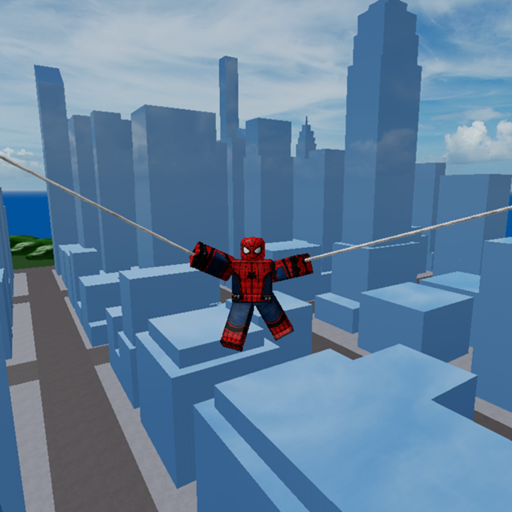
Clean controls turn Marvel and DC Super Heroes from a confusing crowd into a readable sandbox. This page covers practical input habits for the free online Roblox experience by hhjhhjhh10 (place 6132958612, up to 60 players per server, released 2020-12-25). Roblox shift-lock, device differences, and character kits all interact—so treat this as a foundation, then verify binds in your own settings menu.
For a condensed reference, keep Controls Cheatsheet nearby. For curriculum order, start from Getting Started.
Core movement
- Move — default WASD on keyboard; left stick on controller.
- Jump — space / face button. Jump also starts the flight conversation on eligible characters.
- Camera — mouse look or right stick. Lower sensitivity if 60-player scenes make you over-rotate.
- Sprint / shift behaviors — depend on Roblox and experience settings; test after each client update.
Attack and ability inputs
Most kits use standard Roblox click/tap for primary attacks, with additional keys for specials depending on the character. Because this is a sandbox mash-up, do not assume every hero clones the same cooldown layout. When you swap from Batman-like kits to Flash-like kits, spend thirty seconds pressing each bind in a safe corner.
If an ability seems “broken,” confirm you are not simply out of position or missing a charge. Then check Updates for patch notes before blaming your keyboard.
Flight-related input
Eligible characters fly when you slowly double jump. That is an input-timing skill, not a separate key by default. Full lesson: How to Fly. Ranking context: Aerial Mobility.
Practice drill: ten deliberate takeoffs without attacking. Add combat only after landings feel intentional.
Device notes
PC — highest precision for camera-led dives.
Mobile — consider larger jump buttons and reduced UI clutter; practice flight away from crowds.
Console / controller — watch stick dead zones; tiny accidental camera flicks ruin aerial lines.
Settings checklist before ranked-feeling sessions
- Unlock frame rate comfort; lower graphics if the online server stutters hard.
- Enable any helpful Roblox camera mode you already understand.
- Mute overwhelming sound layers if audio cues drown each other.
- Make sure you joined the correct place ID.
- Decide your character before the hot drop—see Choose a Character.
Controls versus command menus
If a video shows a floating Cmds/adm panel with dozens of toggles, that is not the default control scheme. Those overlays come from unofficial tooling discussed cautiously under Executor Scripts. Fair-play controls never require downloading an executor.
Linking controls to combat outcomes
Missed inputs look like balance problems. Before you reroll your main using PvP Combat, record whether you actually pressed the intended key. Combat Tips assumes you can move, jump, and look reliably under pressure.
Accessibility and comfort
Take breaks during long public-server nights. Sandbox sessions stretch easily past an hour when friends stay online. Stretch your hands; flight spam is repetitive.
Social tip: if you play with a group from group 8898465 or private friend invites, agree on callouts for “landing” and “reset” so everyone shares the same control language.
Related pages
- Map Exploration for where to practice.
- Game Passes if a skin changes VFX density and visual noise.
- Codes if you wondered whether a bind unlocks through promos (it does not; no reliable verified active codes).
Sibling guides worth a tab: How to Fly and Combat Tips.
Session muscle memory
Treat each public match as rehearsal for the next. When a Green Goblin player dives your lane, the fix is usually timing—not a new bind. After three sloppy deaths, reset in a cold corner using Map Exploration lanes, then rejoin with one goal from Combat Tips. Muscle memory beats menu diving when sixty players compress the skybox.
Controls closer: the quiet flex in Marvel and DC Super Heroes is not a secret key—it is hitting the same intentional jump cadence on a full online server when everyone else is mashing.
Frequently Asked Questions
Quick answers to the most common questions.
Is there a unique flight key?
Flight on eligible characters uses a slow double jump with the normal jump input, not a special unlock key.
Why do my controls feel different after an update?
Roblox client settings and experience patches can both change feel. Re-test binds and check the Updates hub.
Where can I see a short version of this page?
Use the Controls Cheatsheet under Tools for a compact reminder card.