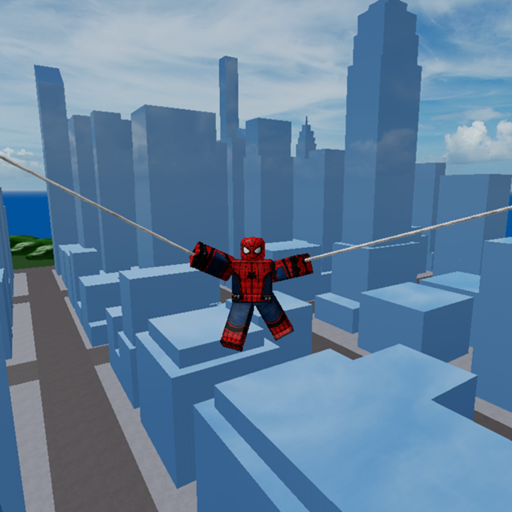
Mobile Play in Marvel and DC Super Heroes
Touch controls, slow double-jump flight, and survival tips for phone and tablet sessions.
Marvel and DC Super Heroes runs on Roblox mobile the same way it does on PC: free online multiplayer, place 6132958612 by hhjhhjhh10, up to 60 players, released 2020-12-25. The difference is your thumbs. This guide covers touch movement, camera hygiene, and how to practice the slow double jump flight rule without a keyboard.
Pair this page with Controls, How to Fly, and the pocket-sized Controls Cheatsheet.
Before you tap Play
- Confirm the creator is hhjhhjhh10 and the place ID matches
6132958612. Lookalike titles—especially Marvel VS DC clones—waste evenings. Details: Lookalike Games. - Update the Roblox app so touch UI and performance patches apply.
- Prefer Wi-Fi for crowded public servers; cellular jitter turns flight practice into rage.
- Lower graphics one notch if heat or frame drops begin—particles from KillEffect_01 and stacked abilities get expensive on older phones.
Touch layout that actually works
- Left thumb: virtual stick for movement. Keep strokes short; long drags overshoot rooftops.
- Right thumb: camera swipe. Reset look angle often—mobile fights die when the skybox fills your screen.
- Jump / ability buttons: learn which on-screen control fires jump versus kit skills before you enter a hot zone.
- Optional: if your device supports a controller or Bluetooth keyboard, treat it as a comfort upgrade, not a requirement. Re-learn jump cadence after you switch input modes.
Flight on a phone
The experience description still says it: slowly double jump to fly on some characters. On mobile that means:
- Tap jump once.
- Pause—longer than your reflex wants.
- Tap jump again.
- Steer with stick + camera, then land near cover.
Mashing the jump button as fast as possible is the number-one mobile failure. Practice ten clean takeoffs on a quiet map edge from Map Exploration before you chase mid-server clips.
Mobile-first session goals
First 10 minutes: spawn, pick a comfort fantasy, confirm whether that kit can fly. Use Choose a Character if the roster overwhelms you.
Next 15 minutes: movement and camera only—no ego duels.
Final stretch: one or two intentional fights using ideas from Combat Tips and Public Server Survival.
Track kills and status honestly with Kills, XP, and Status instead of chasing fake code videos between deaths.
Battery, heat, and readability
Sandbox nights run long. Dim the screen slightly, remove heavy cases that trap heat, and take a two-minute break when frames stutter. Bright skins like Yellow Nightcrawler or Blue Iron Man help friends spot you; they also add visual noise—see Game Passes.
What mobile does not change
- The game remains free; passes stay optional.
- There are still no reliable verified active promo codes for this place—Codes Hub.
- Unofficial executors are even riskier on phones that share accounts with other apps—Safe Script Usage.
- Online co-op still means public servers, not a solo campaign.
Troubleshooting quick table
| Problem | Likely cause | Fix |
|---|---|---|
| Cannot fly | Jump mash or non-flyer kit | Slow the second tap; swap characters |
| Camera spins | Oversensitive swipe | Lower camera sensitivity in Roblox settings |
| Instant deaths | Practicing in mega-brawls | Relocate to edge landmarks |
| Wrong game vibe | Lookalike place | Verify place ID |
Aftercare links
- New on Roblox generally? Start at Getting Started.
- Planning a longer night? Use Session Planner.
- Want roster context? Heroes and Villains.
- Patch awareness: Changelog and Events.
Mobile play closer: your thumbs can run Marvel and DC Super Heroes just fine when the second jump stays slow, the camera stays honest, and the place ID stays correct.
Thumb drills worth repeating
Do a five-takeoff streak without opening chat. Then do a climb-strafe-land loop that ends behind the same prop twice. Those two drills beat twenty random deaths in the blender. Invite a friend on voice if informal online co-op helps you stay patient—group hub 8898465 is a social pointer, not a mobile requirement.
When a session tilts, force a cold-zone lap from Map Exploration, re-check Controls Cheatsheet, and only then re-enter contested airspace. Phone play rewards future-you who planned exits.
Mobile appendix: treat every clean landing as a win condition equal to a highlight kill—especially on a sixty-player public server where the real enemy is often your own camera.
Frequently Asked Questions
Quick answers to the most common questions.
Can I fly on mobile the same way as on PC?
Yes on eligible characters—use a slow second jump tap. Fast mashing usually fails on every device.
Is Marvel and DC Super Heroes free on phones?
Yes. It is free to play on Roblox mobile with optional game passes.
Why does my phone overheat in this game?
Crowded servers plus particle-heavy fights are demanding. Lower graphics, shorten sessions, and avoid stacking every effect at once.