Marvel and DC Super Heroes How to Redeem Codes
Find a real redeem path—or confirm the game has none—before typing random strings.
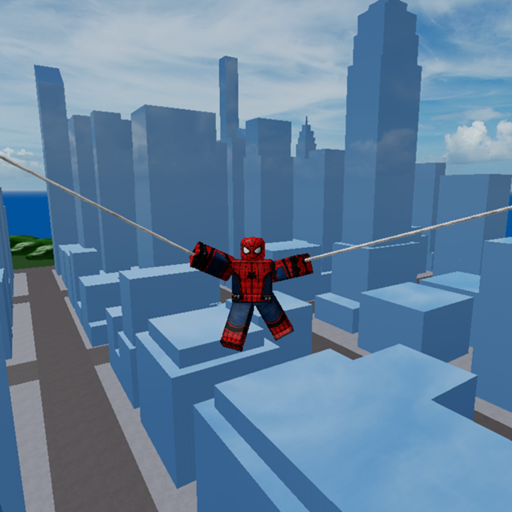
Redeeming codes on Roblox always depends on whether the experience ships a dedicated codes button, a chat command, or a temporary event UI. Marvel and DC Super Heroes by hhjhhjhh10 is a free online multiplayer sandbox (up to 60 players) that has been live since 25 December 2020. Many players assume every popular Roblox game has a codes menu. This guide shows how to check carefully so you do not confuse chat spam with a real redeem system.
Before you start
- Join the correct place: Marvel and DC Super Heroes (place
6132958612). - Wait until the character select and world fully load on a public online server.
- Keep the Codes Hub open in another tab so you only try strings that this wiki has marked as verified.
If our hub says there are no verified active codes, do not spend a session hammering random phrases into chat. Use that time for Getting Started or map exploration instead.
Typical Roblox redeem patterns (checklist)
Walk this checklist each time the creator announces a gift:
1. On-screen buttons and menus
Look for labels such as Codes, Rewards, Gift, Twitter, or Shop. Sandbox games sometimes tuck a codes button next to shop or settings. Hover every icon once after spawn; UI layouts change after updates.
2. Chat-based redeem
Some experiences accept /code SOMETHING or !code SOMETHING. Others require you to open an admin-style panel. Marvel and DC Super Heroes is known in the community for a Cmds / adm-style command menu used by script tooling—that is not the same as an official promo-code box. Do not confuse executor command menus with creator-issued codes. For script risks, read Safe Script Usage and the Scripts Hub.
3. Group rewards versus typed codes
The experience description points players to group 8898465. Joining a group can unlock group benefits in some Roblox games, but that is separate from typing a promo string. If a reward requires group membership, follow the group instructions rather than hunting YouTube codes.
4. Game passes and paid skins
Cosmetics such as Iron Spider Man, Infinity Thor, Future Flash, Blue Iron Man, Yellow Nightcrawler, Red Hulk, and effects like KillEffect_01 are sold as game passes or similar purchases. They are not redeemed with free codes. See Game Passes for the shopping checklist.
Step-by-step when a real code is announced
- Confirm the announcement names Marvel and DC Super Heroes and matches place
6132958612. - Join a fresh server so UI updates have time to appear.
- Locate the redeem control using the checklist above.
- Enter the code exactly—codes are often case-sensitive.
- Restart the session once if the reward does not appear immediately.
- Report success or failure so we can update Code Status and Myths.
Common mistakes
- Redeeming on the wrong game with a similar Marvel/DC title.
- Pasting codes that include extra spaces or emoji from social posts.
- Expecting codes to unlock flight or every character; flight for some heroes uses a slow double jump, covered in How to Fly.
- Using third-party “auto redeem” tools that ask for your password. Never share account credentials.
After redeeming (or failing to find a UI)
If no codes UI exists, that is a valid outcome. Continue playing the online sandbox: pick heroes from the heroes roster, practice combat tips, and compare picks on the beginner characters tier page. Bookmark the Codes Hub for later checks after updates.
For broader progress, follow Controls, Choose a Character, and the Updates Hub when patches land.
Final reminder unique to this redeem guide: a working code always leaves a reproducible trail—UI click or chat accept—on place 6132958612; anything else is rumor, not redemption.
Redeem readiness checklist for future drops
Screenshot the announcement, note the date, confirm place 6132958612, then attempt redemption once with careful capitalization. If nothing happens, do not spam chat for ten minutes—rejoin once, try again, then document failure for the Status and Myths page.
Meanwhile keep playing: flight drills, character shortlists, and warm-lane fights improve your account more than staring at a non-existent codes button.
Redeem guide ribbon: patience plus place-ID hygiene beats twenty YouTube lists that never name this sandbox.
Frequently Asked Questions
Quick answers to the most common questions.
Is there a codes button in Marvel and DC Super Heroes?
There is no consistently verified public codes GUI for this place. Re-check after updates, but do not assume every Roblox sandbox has one.
Can I redeem codes in chat?
Only if the creator adds a chat redeem command. Random chat spam and executor command menus are not official promo redemption.
Do game passes count as codes?
No. Skins and KillEffect_01-style passes are purchases. See the Game Passes page for those items.